name = "analytics_with_cloudflare" main = "src/index.ts" compatibility_date = "2024-06-14"
[[d1_databases]] binding = "DB"# available in your Worker on env.DB database_name = "web_analytics"# 数据库名也要和你刚才创建的对应上 database_id = "这里填写你的database_id"
[observability.logs] enabled = true
初始化D1数据表
1
npm run initSql
到这一步,我们在本地初始化了analytics_with_cloudflare,并远程创建了cloudflare D1数据库表。此时还没有把此服务部署到cloudflare workers里,先不要急着npm run deploy,我们先修改一些配置。
// 第一步:添加下边两行代码 const spv = body.spv const suv = body.suv
let referrer_path = '' let referrer_domain = ''
//忽略中间一大堆代码...
// 第二步:下边这行代码修改,添加了spv suv constresData:{pv?: number, uv?: number, spv?: number, suv?: number} = {} if (pv){ const total = await c.env.DB.prepare('SELECT COUNT(*) AS total from t_web_visitor where website_id = ? and url_path = ?').bind(websiteId, url_path).first('total'); resData['pv'] = Number(total) } if (uv){ const total = await c.env.DB.prepare('SELECT COUNT(*) AS total from (select DISTINCT visitor_ip from t_web_visitor where website_id = ? and url_path = ?) t').bind(websiteId, url_path).first('total'); resData['uv'] = Number(total) }
// 第三步:添加下边的两大段代码,分别是spv suv的两个if if (spv){ const total = await c.env.DB.prepare('SELECT COUNT(*) AS total from t_web_visitor where website_id = ?').bind(websiteId).first('total'); resData['spv'] = Number(total) } if (suv){ const total = await c.env.DB.prepare('SELECT COUNT(*) AS total from (select DISTINCT visitor_ip from t_web_visitor where website_id = ?) t').bind(websiteId).first('total'); resData['suv'] = Number(total) } // 上边都改完了,后边的代码都别动了 return c.json({ret: "OK", data: resData});
⛅️ wrangler 4.27.0 ─────────────────── Total Upload: 61.66 KiB / gzip: 14.42 KiB Your Worker has access to the following bindings: Binding Resource env.DB (web_analytics) D1 Database
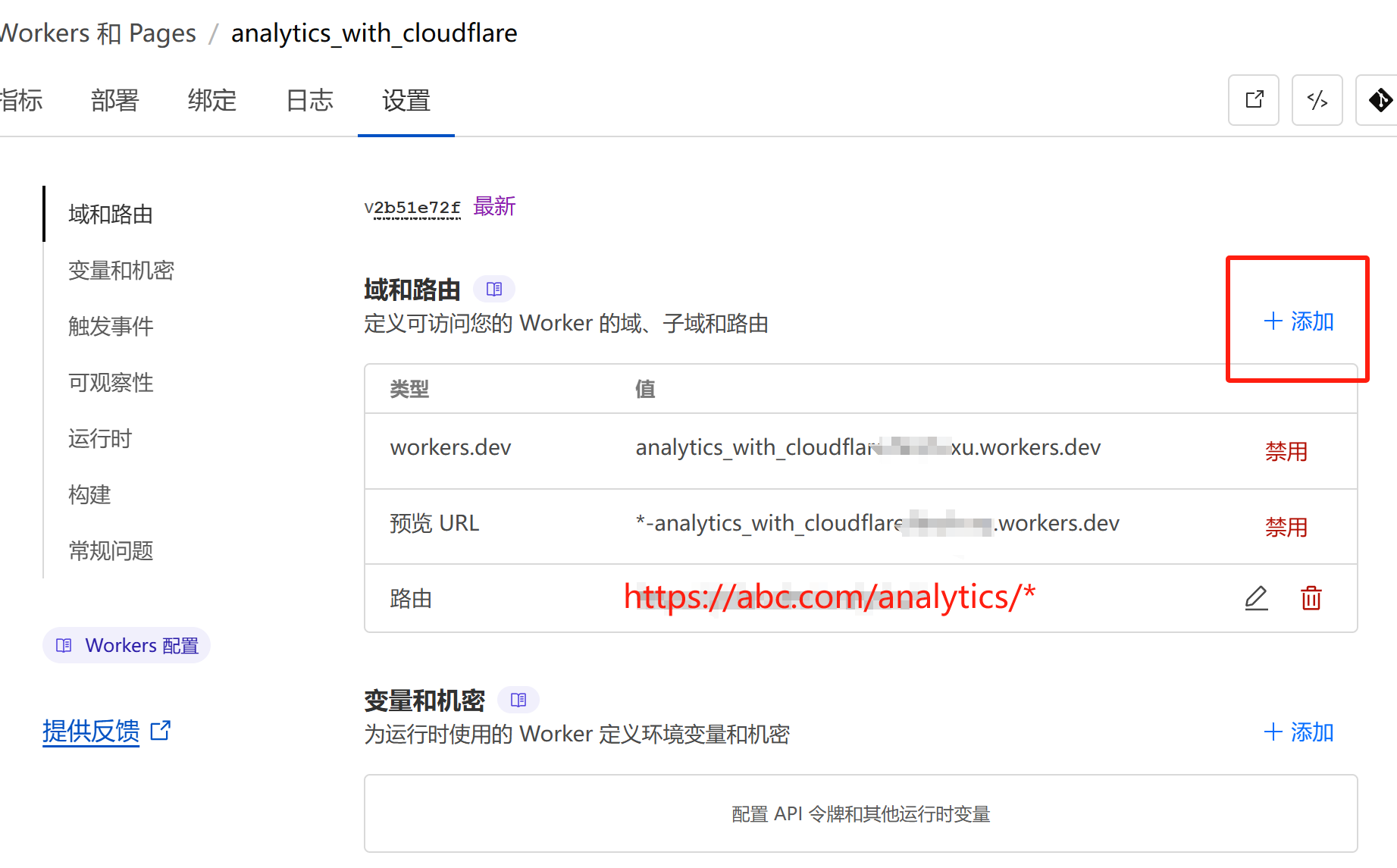
Uploaded analytics_with_cloudflare (3.64 sec) Deployed analytics_with_cloudflare triggers (0.40 sec) https://analytics_with_cloudflare.你的账户名字.workers.dev Current Version ID: 9999-9999-9999-9999-9999
 虚拟世界的懒猫