 虚拟世界的懒猫
我们要做到流程:
- QNAP 威联通 NAS 连接 UPS 并配置断电网络广播
- pve 或 pc 或 linux 客户端使用 NUT 监听 NAS 的断电消息
我们假设:
- 你的威联通 NAS ip 为 192.168.124.100(作为 server)
- 你的 PVE 或者 PC ip 为 192.168.124.160(作为 client)
PVE 配置 NUT 监听 NAS 断电消息
NAS 连接 UPS 并启用断电网络广播
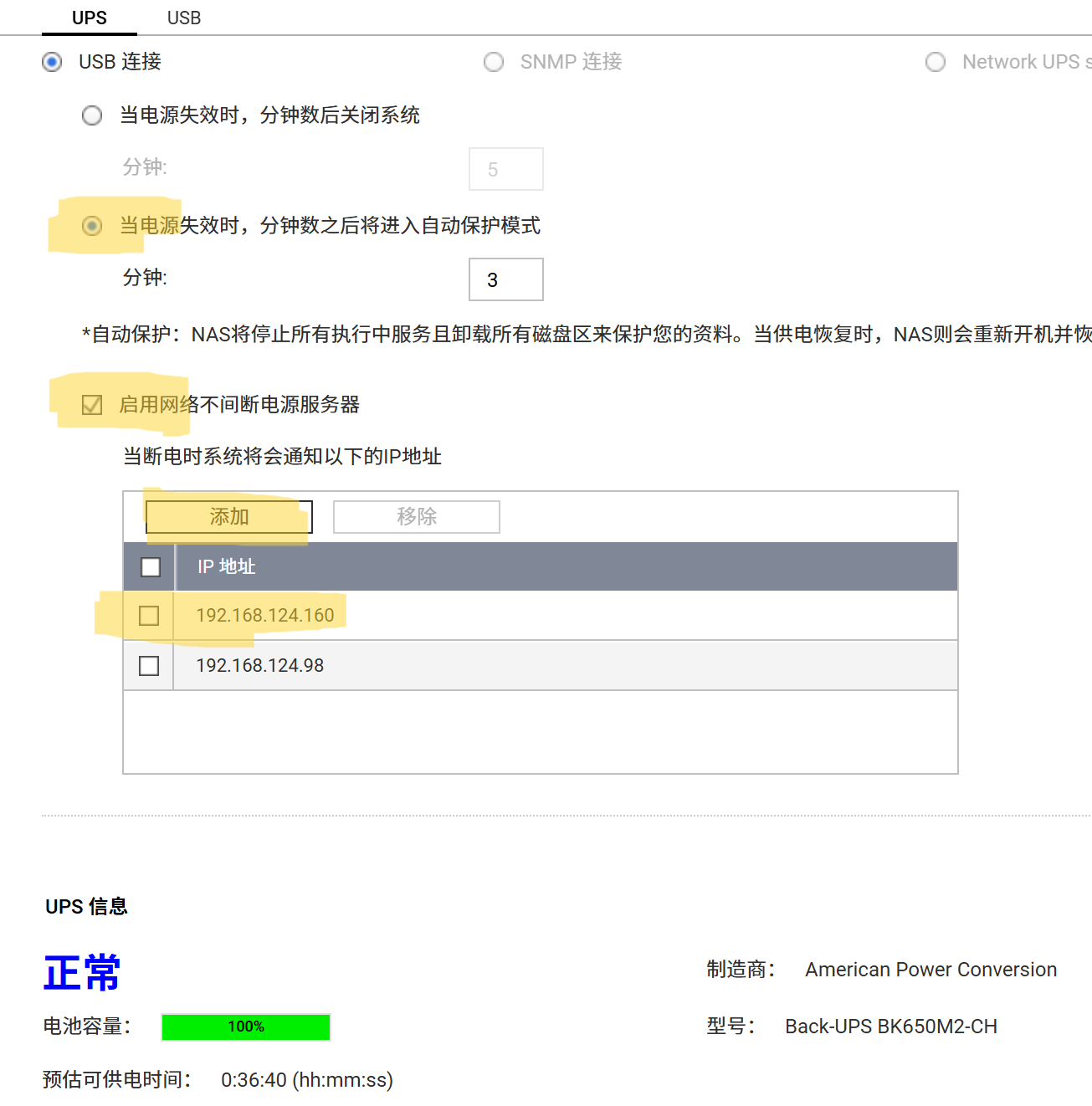
查看威联通 NAS UPS SERVER 配置
通过 ssh 登录你的 NAS,查看 ups nut server 配置
1 | cat /mnt/HDA_ROOT/.config/ups/upsd.users |
威联通的配置都是固定的如下,账号 admin,密码 123456
1 | [admin] |
在 PVE 配置 NUT client 监听
在你的 PVE shell 或 ssh 里操作
1 | # 安装 |
在文件底部添加代码:
1 | MONITOR qnapups@192.168.124.100 1 admin 123456 slave |
1 | # 重启加载配置 |
参考 https://github.com/Bpazy/blog/issues/206
PC windows 配置 NUT Client
记得在 NAS 里配置上你 windows 电脑的 ip。
参考 https://www.cnblogs.com/HeisenbergUncertainty/p/18065831
ttps://github.com/gawindx/WinNUT-Client